 Unique Divine
Discord MCP: Unique Divine PC & AI
Unique Divine PC & AI is my privately operated Discord tool. I use it to publish announcements, read messages and threads in public server channels, and configure scoped automation and tooling in servers where I have permission to do so.
The tool connects through a Discord bot account and makes operations available to my AI agent tools through Model Context Protocol, or MCP. I use it much like a command-line tool. One example is coordinating Nibiru validator upgrades by reviewing prior announcements and preparing release communications.
Access and operation
I am the sole operator of the MCP connection. Being a member of a server where the bot is installed does not grant access to its tools. Posting and administrative actions require my instruction or an automation I configure with a defined scope. The bot’s Discord permissions limit its access.
The integration sends requested message content and context to OpenAI Codex for analysis and drafting. The bot does not maintain a dedicated user database or message archive. Conversation history and diagnostics can still retain tool results, as described in the privacy policy.
Guild scope and installation
The integration operates in these Discord guilds:
| Guild | Guild ID |
|---|---|
| Nibiru | 947911971515293759 |
| Sai | Onchain Markets | 1288600349602484315 |
The bot is publicly installable in Discord servers. Installation does not grant access to the local MCP connection, which Unique Divine operates personally. The documented operational scope is Nibiru and Sai | Onchain Markets. Installation in another server does not authorize its members to invoke the MCP tools or establish an agreement to provide service there.
Within these guilds, the operator uses the tool for public-channel communication and authorized administrative tasks. Discord channel permissions and the scope of the operator’s request determine the permitted access and actions. Extending operator-directed workflows to another guild requires authorization for that work and an update to the documented operational scope.
Public policies
Both policies have an effective date of July 1, 2026.
Privileged-intent review
The following describes the historical-message feature and the access check performed on October 10, 2026. Discord’s intent-review guide asks for the concrete use case and why alternative interactions cannot provide the needed context. Data handling and deletion are covered in the privacy policy.
Why Message Content is needed
I use the integration to retrieve existing announcements and surrounding replies from authorized channels, identify the relevant release and operational instructions, and prepare the next announcement using that context.
For example, before a Nibiru chain upgrade, I ask it to review earlier validator communications. The integration needs the message text to distinguish a release announcement from its follow-up instructions and identify proposal links, upgrade heights, timing estimates, and container references. Author IDs and timestamps alone cannot supply that information.
The requested access supports historical communication review. Posting a new announcement by itself does not require Message Content. This workflow does not require Guild Presences or a full member list.
Alternatives considered
Slash commands can initiate a request, but do not provide the text of unrelated historical messages. A message context command can supply the selected message; it does not supply unselected surrounding messages or an entire historical thread. Messages mentioning the bot also do not cover earlier announcements that did not mention it.
I could manually copy individual messages into the assistant. That changes the workflow into manual message selection and omits the bounded retrieval of surrounding context. The MCP integration instead retrieves the requested context through Discord’s API with an explicit channel and message limit. It is not used to crawl all guild history or build a searchable archive of members’ messages.
These alternatives follow Discord’s privileged-intent guidance.
Example announcement workflow
- I ask the assistant to review previous upgrade announcements in Nibiru’s
mainnet-validatorschannel and explain the established announcement format. - The assistant requests a small set of messages around a known announcement through the MCP tool
discord_read_messages. - Once content access is available, the tool returns the requested message text and context for analysis and drafting. I check the resulting draft.
- Publishing requires a separate instruction from me, or an automation I have explicitly configured. A read request does not authorize publication.
Example MCP arguments for the documented historical announcement:
{
  "channelId": "1171230865800568852",
  "around": "1546553703299948544",
  "limit": 5
}
These are example arguments supported by the installed tool, not a captured successful MCP call. The prior v2.19.0 announcement and its follow-up reply are recorded operational precedent. Discord visibility depends on the viewer’s access to that channel.
Validator announcement evidence
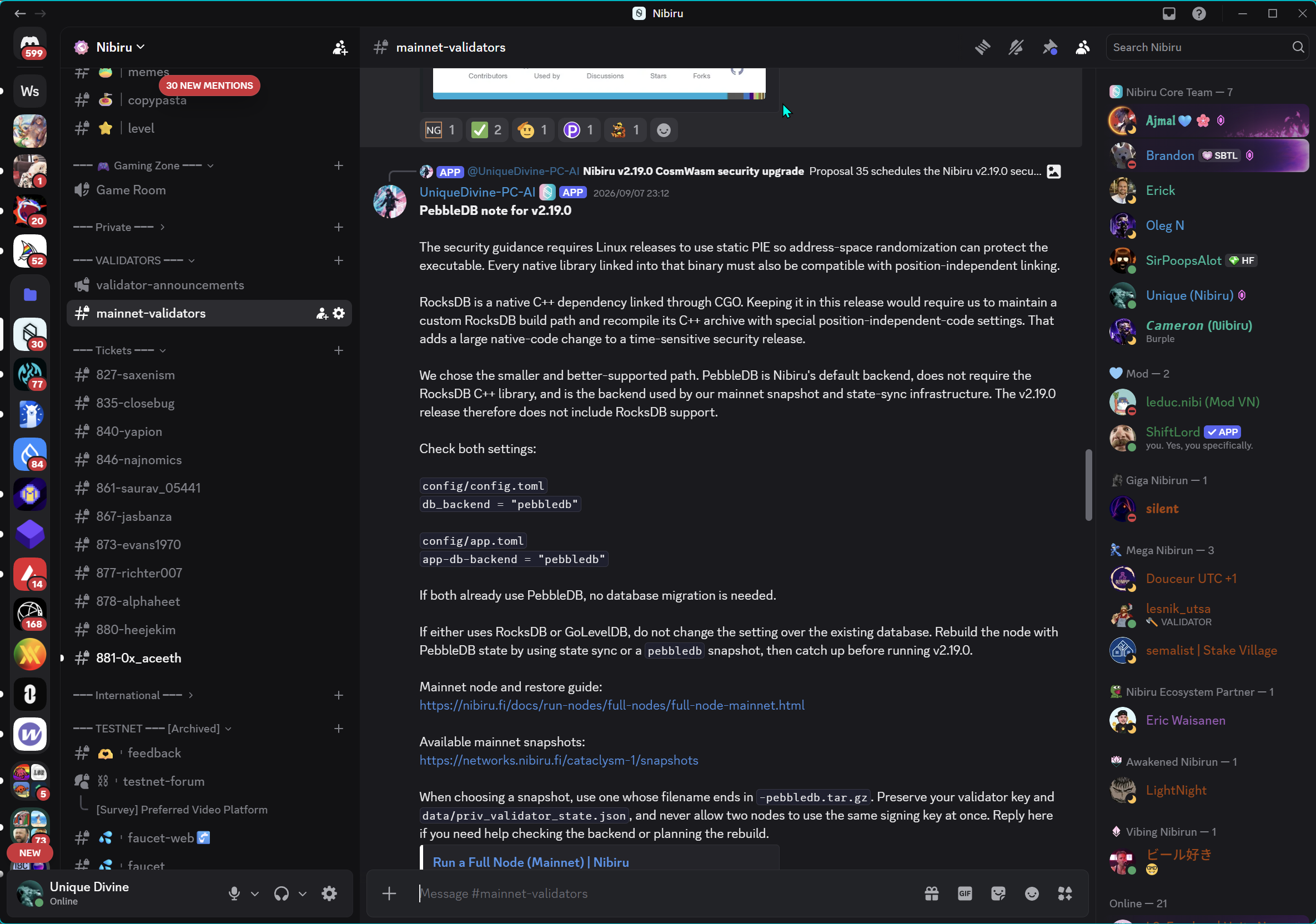
This operator-provided screenshot shows UniqueDivine-PC-AI posting the “PebbleDB note for v2.19.0” in Nibiru’s mainnet-validators channel on September 7, 2026. It includes database configuration, migration instructions, and links to node documentation and snapshots. This is an example of the operational context used to prepare and review upgrade communications.
Open the full screenshot. It demonstrates a historical bot publication in Discord. It does not demonstrate a successful MCP history read or a Guild Members workflow. Reading the bot’s own messages alone does not require Message Content; the requested feature also retrieves surrounding messages from other participants.
An example operator request is:
Review this upgrade announcement and its surrounding replies to identify the established format and follow-up instructions. Prepare a draft for the next upgrade. Do not publish anything.
The discord_read_messages arguments above illustrate that bounded read. During this session, a separate live call with the same channel ID and limit: 1 returned “Discord client not logged in.” A fresh Gateway login subsequently returned “Used disallowed intents.” These checks are failure diagnostics, not a successful feature demonstration.
Access diagnostic
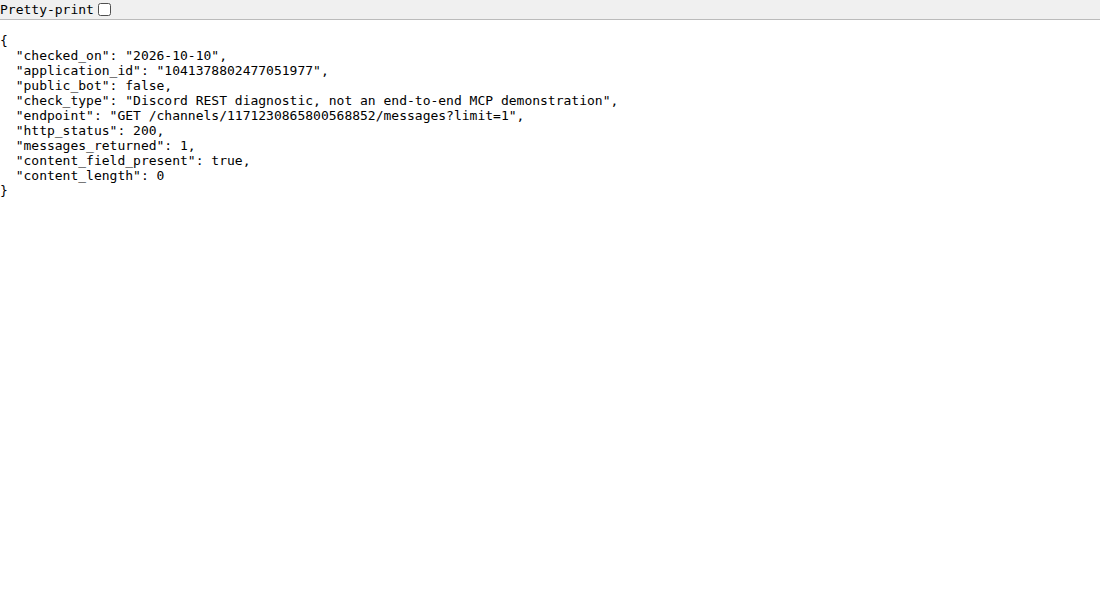
A read-only REST check using the configured bot credential fetched one message from mainnet-validators on October 10, 2026. Discord returned HTTP 200 and one message object, but its content field was empty. At the time of that check, the same credential confirmed that Public Bot was disabled. A later check on October 10 confirmed that Public Bot was enabled and the bot had the Verified Bot badge. The JSON below records the earlier check.
{
  "endpoint": "GET /channels/1171230865800568852/messages?limit=1",
  "http_status": 200,
  "messages_returned": 1,
  "content_length": 0,
  "public_bot": false
}
Download the sanitized diagnostic summary or view its screenshot. The screenshot shows the rendered diagnostic summary, not a successful live MCP workflow. The summary contains no credentials or message text. An empty content field is consistent with unavailable Message Content access; this diagnostic alone does not prove the original message contained text or establish the complete cause. It is a REST diagnostic, not proof that the MCP client has reconnected or that an end-to-end historical read succeeds.
Contact
I operate the tool personally as Unique Divine from the United States of America. For support, privacy questions, deletion requests, or reports of misuse, email realuniquedivine@gmail.com.
Server administrators can request that I stop accessing their server and can also remove the bot or revoke its channel permissions through Discord.
Application ID: 1041378802477051977.
This is an independently operated integration. It is not a Discord product or endorsement.